Check a USDC Wallet for a Circle Blacklist
Check a USDC wallet for Circle freeze or blacklist indicators, legal-order context, sanctions exposure, and counterparty risk before you send or accept funds.
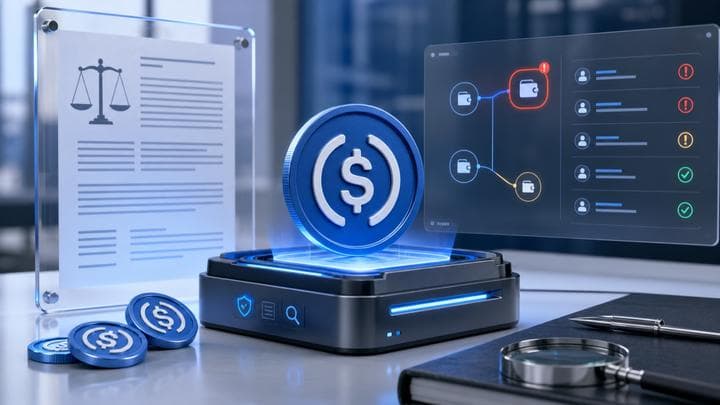
A USDC blacklist check reviews whether a wallet has direct or contextual signals that matter for Circle-issued stablecoins: freeze or blacklist evidence, sanctions exposure, risky counterparties, and chain-specific USDC context. Circle public terms and EVM contracts describe freeze or surrender scenarios under a valid legal order. FreezeRadar turns that into a pre-transfer review you can save. It cannot appeal to Circle, unfreeze USDC, or decide a legal outcome.
Check a wallet before you act
Run a FreezeRadar scan for issuer-freeze signals, sanctions exposure, counterparty risk, and freezeable asset sensitivity before moving funds.
Who this check is for
Use this before large USDC receipts, partner settlements, OTC trades, or treasury movements. Businesses should scan receiving wallets. The check is risk intelligence, not an issuer support ticket.
Real-world example
Circle's public user agreement and MiCA USDC white paper describe scenarios where supported digital currency may be frozen or surrendered under a valid legal order. Circle's public EVM contract repository also documents blacklist-related controls. Those sources do not mean every reviewed wallet is bad. They mean USDC screening should be explicit, documented, and asset-aware.
What FreezeRadar checks
FreezeRadar focuses on freezeable asset wallet risk, not generic price or portfolio tracking. For this search intent, the scan focuses on:
- USDC issuer-freeze or blacklist indicators where supported
- legal-order and sanctions-sensitive risk context
- known high-risk labels and counterparty exposure
- supported chain context for USDC, including EVM and Solana coverage
- whether the risk is direct enough to pause a transfer or indirect enough to document
The result is an explainable risk assessment. It can help you decide whether to pause, document, escalate, or run a deeper review before sending funds.
How to run the check
- Open FreezeRadar wallet scan.
- Paste the wallet address you want to review.
- Confirm the chain and asset if the page preselects one.
- Run the scan and read the score, direct issuer-freeze signals, sanctions exposure, counterparty context, and evidence notes.
- Preserve the scan URL with your transaction hashes and screenshots if the wallet is part of a dispute, payment review, or compliance workflow.
What the result can and cannot tell you
A scan can show whether FreezeRadar sees issuer-freeze indicators, sanctions matches, risky labels, counterparty exposure, behavioral risk, and freezeable asset sensitivity. It cannot prove a future issuer freeze, guarantee restoration of a frozen balance, or replace legal advice from qualified counsel.
Do not use this page or any FreezeRadar output to bypass sanctions, evade issuer controls, conceal source of funds, or contact unofficial recovery services. If the situation involves a legal order, fraud report, stolen funds, or sanctions exposure, use official issuer, exchange, law-enforcement, or legal channels.
Related reading
- USDT vs USDC freeze risk
- Solana USDC freeze check
- How to check a wallet
- How FreezeRadar scores a wallet
FAQ
Can Circle freeze USDC?
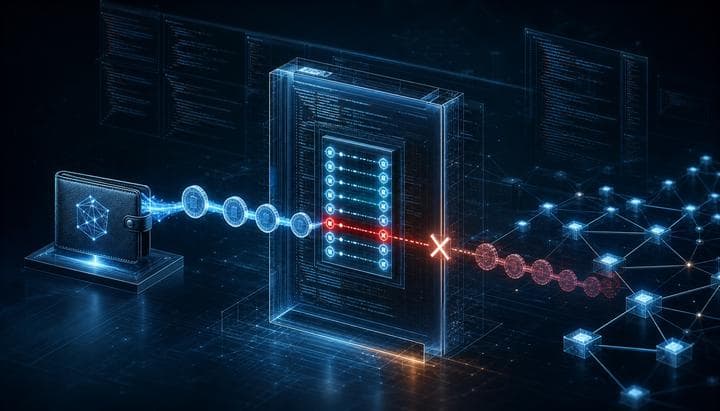
Circle public materials describe freeze or surrender scenarios under valid legal order, and its EVM contracts include blacklist controls.
Does a USDC blacklist check work like a sanctions lookup?
It includes sanctions screening, but it should also review issuer-control signals, counterparties, and transfer behavior.
Should businesses scan USDC receiving wallets?
Yes, especially before large receipts, partner settlements, OTC transactions, or treasury movements.
Can FreezeRadar appeal to Circle for me?
No. FreezeRadar provides risk intelligence and documentation guidance. Official issuer or legal contact must happen through appropriate channels.
Sources (3)
Help improve this guide
Share a freeze case note, issuer response, missing document, or support-step correction. Do not include seed phrases, private keys, login codes, or exchange passwords.
Related reading
Continue exploring FreezeRadar knowledge content.


On this page
By FreezeRadar Team
Research and product team behind FreezeRadar.