Check a USDT Wallet for Freeze Risk
Screen a USDT wallet for Tether blacklist, freeze signals, sanctions exposure, and risky counterparties before you send or accept funds.
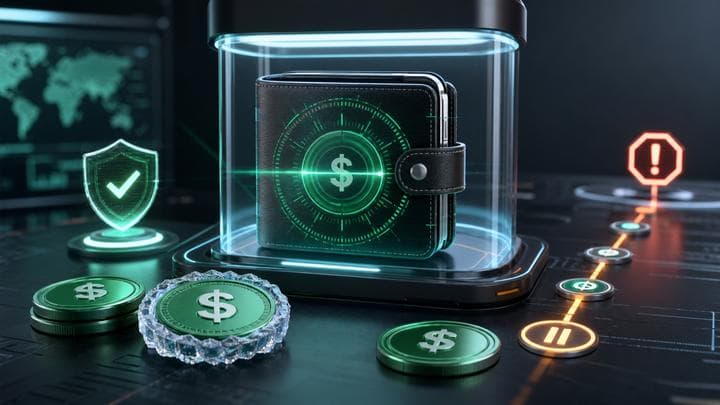
A USDT wallet freeze check looks for the signals that matter when Tether is the asset at risk: direct blacklist or freeze evidence, sanctions exposure, risky counterparties, recent transfer behavior, and whether the wallet is holding freezeable value. Run the scan before you send USDT, accept an OTC payment, or reconcile a customer deposit. FreezeRadar does not contact Tether, file an appeal, or recover funds. It gives you a saveable snapshot so you can pause, document, or escalate with evidence instead of after the transfer lands.
Check a wallet before you act
Run a FreezeRadar scan for issuer-freeze signals, sanctions exposure, counterparty risk, and freezeable asset sensitivity before moving funds.
Who this check is for
Use this if you move USDT on any supported chain, operate an OTC or broker desk, or review incoming Tether payments. Scan before funds move. Do not use the result to bypass a Tether restriction or a sanctions control.
Real-world example
Tether's public legal and information pages describe a compliance environment where records, legal obligations, and contractual relationships matter. Public reporting and on-chain analysis also show that Tether has used blacklist-style controls in enforcement-sensitive cases. FreezeRadar treats that as an operational reason to screen the wallet before transfer rather than waiting until USDT is already in a disputed address.
What FreezeRadar checks
FreezeRadar focuses on freezeable asset wallet risk, not generic price or portfolio tracking. For this search intent, the scan focuses on:
- USDT issuer-freeze or blacklist indicators where available
- direct sanctions or blocked-property exposure
- known scam, mixer, fraud, or high-risk exchange labels
- recent counterparties that could explain review risk
- USDT-specific asset exposure across supported chains
The result is an explainable risk assessment. It can help you decide whether to pause, document, escalate, or run a deeper review before sending funds.
How to run the check
- Open FreezeRadar wallet scan.
- Paste the wallet address you want to review.
- Confirm the chain and asset if the page preselects one.
- Run the scan and read the score, direct issuer-freeze signals, sanctions exposure, counterparty context, and evidence notes.
- Preserve the scan URL with your transaction hashes and screenshots if the wallet is part of a dispute, payment review, or compliance workflow.
What the result can and cannot tell you
A scan can show whether FreezeRadar sees issuer-freeze indicators, sanctions matches, risky labels, counterparty exposure, behavioral risk, and freezeable asset sensitivity. It cannot prove a future issuer freeze, guarantee restoration of a frozen balance, or replace legal advice from qualified counsel.
Do not use this page or any FreezeRadar output to bypass sanctions, evade issuer controls, conceal source of funds, or contact unofficial recovery services. If the situation involves a legal order, fraud report, stolen funds, or sanctions exposure, use official issuer, exchange, law-enforcement, or legal channels.
Related reading
- Tether blacklist check
- TRC20 frozen wallet check
- How to check a wallet
- How FreezeRadar scores a wallet
FAQ
Can FreezeRadar tell me if Tether will freeze a wallet?
No. FreezeRadar can surface covered risk signals and direct indicators. It cannot predict or control future issuer decisions.
Should I scan before or after sending USDT?
Scan before sending when possible. A pre-transfer check is more useful than trying to explain a risky wallet after funds arrive.
Does this work for every USDT chain?
FreezeRadar supports USDT analysis on registered supported chains. The exact data available can vary by chain and provider coverage.
What should I save if the wallet looks risky?
Save the scan URL, transaction hashes, wallet address, counterparty details, invoices, chat records, and source-of-funds documentation.
Sources (3)
Help improve this guide
Share a freeze case note, issuer response, missing document, or support-step correction. Do not include seed phrases, private keys, login codes, or exchange passwords.
Related reading
Continue exploring FreezeRadar knowledge content.
On this page
By FreezeRadar Team
Research and product team behind FreezeRadar.