Check if a TRC20 USDT Wallet Is Frozen
Check a TRON USDT (TRC20) wallet for freeze, Tether blacklist, sanctions exposure, and pass-through patterns before you send or accept funds.
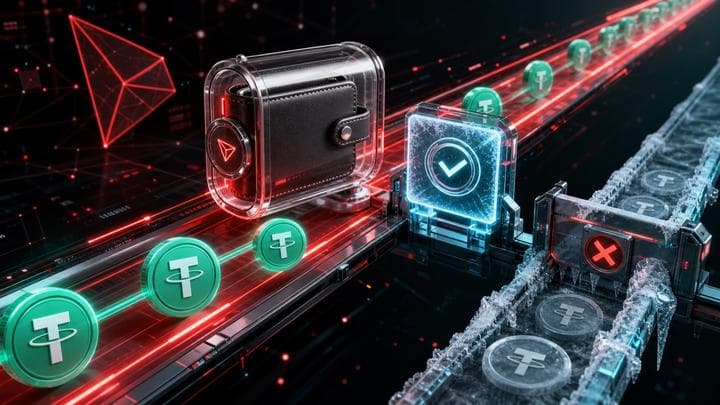
A TRC20 frozen wallet check reviews a TRON address for USDT freeze and blacklist sensitivity before you send or accept funds. TRON is a common USDT rail, so the operational risk is often speed, volume, and counterparty quality rather than the address format. FreezeRadar checks the TRON wallet, supported USDT context, sanctions exposure, risky labels, and transfer behavior. Use the result to accept, pause, or document the wallet. It will not unfreeze USDT or bypass Tether controls.
Check a wallet before you act
Run a FreezeRadar scan for issuer-freeze signals, sanctions exposure, counterparty risk, and freezeable asset sensitivity before moving funds.
Who this check is for
Use this if you send or receive USDT on TRON, especially for OTC, broker, or payment flows. A TRC20 address is not automatically high risk. The check is asset- and history-specific.
Real-world example
Tether's public documentation and contract-based control model show why TRC20 USDT should be treated as an issuer-controlled asset. The network may be fast and low-cost, but the token can still sit inside a compliance environment. For high-volume OTC, broker, or payment flows, a TRC20 address should be screened before funds move because evidence is much easier to collect before a dispute.
What FreezeRadar checks
FreezeRadar focuses on freezeable asset wallet risk, not generic price or portfolio tracking. For this search intent, the scan focuses on:
- TRON address normalization and supported USDT context
- direct issuer-freeze or blacklist evidence when available
- sanctions, fraud, scam, mixer, and high-risk counterparty exposure
- recent transfer patterns common in pass-through or broker wallets
- clear distinction between TRON network risk and USDT issuer-control risk
The result is an explainable risk assessment. It can help you decide whether to pause, document, escalate, or run a deeper review before sending funds.
How to run the check
- Open FreezeRadar wallet scan.
- Paste the wallet address you want to review.
- Confirm the chain and asset if the page preselects one.
- Run the scan and read the score, direct issuer-freeze signals, sanctions exposure, counterparty context, and evidence notes.
- Preserve the scan URL with your transaction hashes and screenshots if the wallet is part of a dispute, payment review, or compliance workflow.
What the result can and cannot tell you
A scan can show whether FreezeRadar sees issuer-freeze indicators, sanctions matches, risky labels, counterparty exposure, behavioral risk, and freezeable asset sensitivity. It cannot prove that an issuer will freeze a wallet in the future, guarantee that a frozen balance can be restored, or replace legal advice from qualified counsel.
Do not use this page or any FreezeRadar output to bypass sanctions, evade issuer controls, conceal source of funds, or contact unofficial recovery services. If the situation involves a legal order, fraud report, stolen funds, or sanctions exposure, use official issuer, exchange, law-enforcement, or legal channels.
Related reading
- USDT on TRON sanctions risk
- Tether blacklist check
- How to check a wallet
- How FreezeRadar scores a wallet
FAQ
Does TRC20 mean the wallet is automatically risky?
No. TRC20 is a token standard on TRON. Risk depends on issuer controls, wallet history, counterparties, sanctions exposure, and transaction behavior.
Why do many people search for frozen TRC20 wallets?
TRON is widely used for USDT transfers. High usage means more users encounter compliance reviews, scams, broker disputes, and frozen-wallet questions there.
Can I scan a TRON address without logging in?
You can open the scan page from this guide. Account and quota behavior follows the current FreezeRadar plan and verification rules.
Can a TRC20 scan unfreeze USDT?
No. The scan provides risk intelligence and documentation context. It does not change issuer state or bypass restrictions.
Sources (3)
Help improve this guide
Share a freeze case note, issuer response, missing document, or support-step correction. Do not include seed phrases, private keys, login codes, or exchange passwords.
Related reading
Continue exploring FreezeRadar knowledge content.
On this page
By FreezeRadar Team
Research and product team behind FreezeRadar.